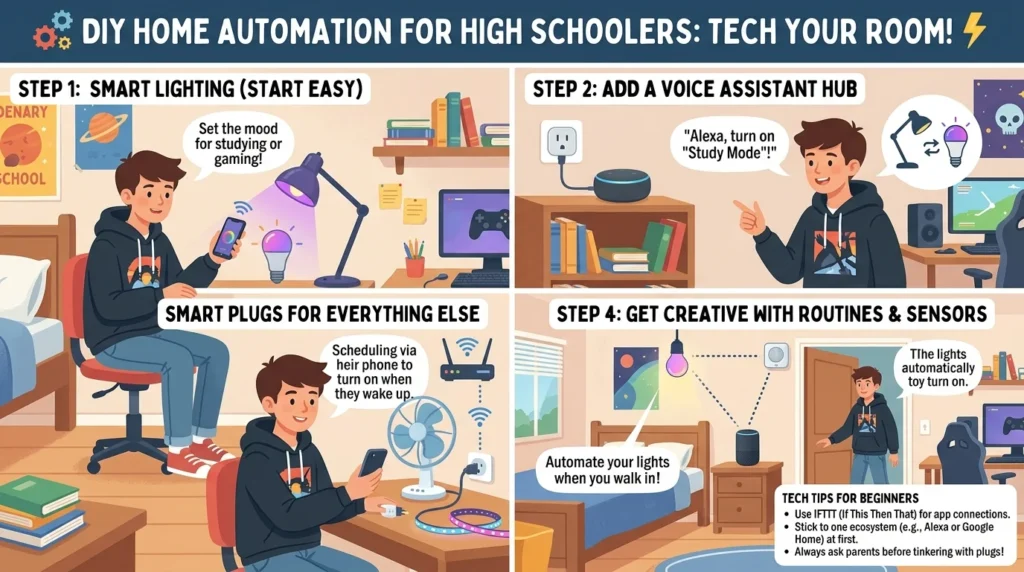

Imagine you are a high school student coming home from school, and your room light turns ON automatically when you enter, the fan starts at a comfortable speed, and your phone notifies you if someone rings your doorbell. This is not science fiction—it is home automation. Today, even beginners and students can build simple smart home systems using low-cost sensors and microcontrollers.
Learning how to home automation for high schoolers is very important because it introduces basic electrical engineering, electronics, programming, and real-world problem-solving skills. It also helps students understand how modern smart homes, IoT devices, and automation systems work in real life.
In this article, you will learn what home automation is, how it works, its components, types, advantages and disadvantages, applications, and how beginners can start building simple projects step by step in an easy and practical way.
What is Home Automation?
Home automation is a system that allows electrical devices in a home to be controlled automatically or remotely using sensors, controllers, and communication technology.
It means machines can “think” and act based on conditions like motion, light, temperature, or remote commands.
Simple Explanation
Home automation is like giving your house a small brain that can:
Turn lights ON/OFF automatically
Control fans and air conditioners
Lock doors electronically
Send alerts to your phone
Practical Example
A simple example is an automatic room light:
A motion sensor detects movement
The microcontroller receives the signal
The relay turns ON the light
How to Home Automation for High Schoolers Working Principle
The how to home automation for high schoolers working principle is based on sensing, processing, and controlling.
Step-by-Step Working Process
Sensing Input
Sensors detect physical changes like
Motion
Temperature
Light intensity
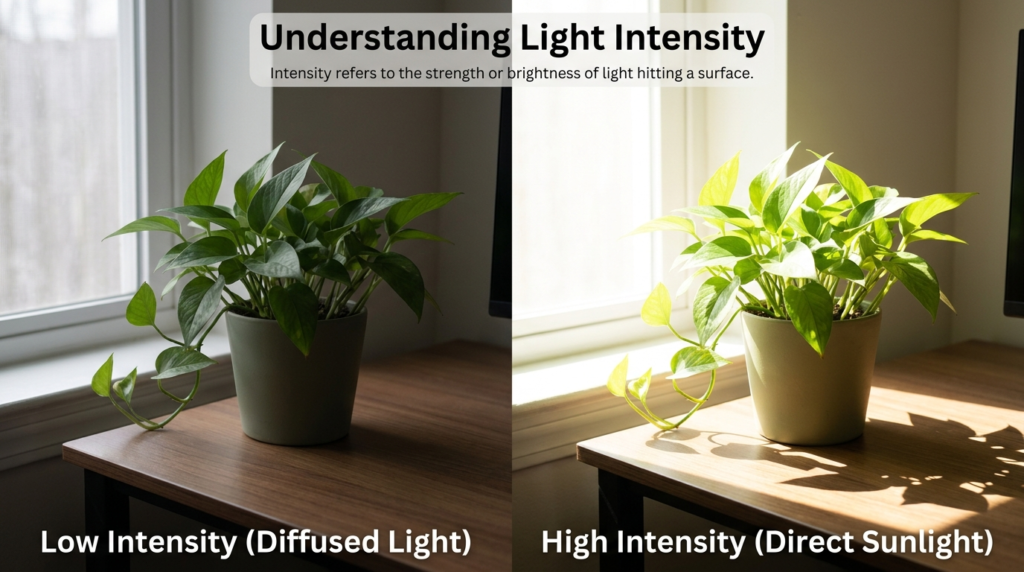
Light intensity refers to the strength or brightness of light produced by a light source. It shows how much light energy is emitted in a particular direction. The intensity of light depends on the type of source, the distance, and the surrounding environment. For example, sunlight has a very high light intensity compared to a small electric bulb. Light intensity is very important in daily life because proper lighting helps in reading, working, driving, and industrial activities. In science, light intensity is measured in candela (cd). Modern lighting systems such as LED lights and smart lighting allow better control of light intensity, which helps save energy and improve visibility.
Signal Processing
A microcontroller processes the sensor signal and decides what to do.
Control Action
The controller sends a command to a relay or switch.
Device Operation
Electrical devices turn ON or OFF automatically.
Easy Analogy
Think of home automation like a human body:
Sensors = Eyes and ears
Microcontroller = Brain
Relay = Hands
Appliances = Actions
Types / Classification
Home automation systems are classified into different types based on control method.
Wired Home Automation
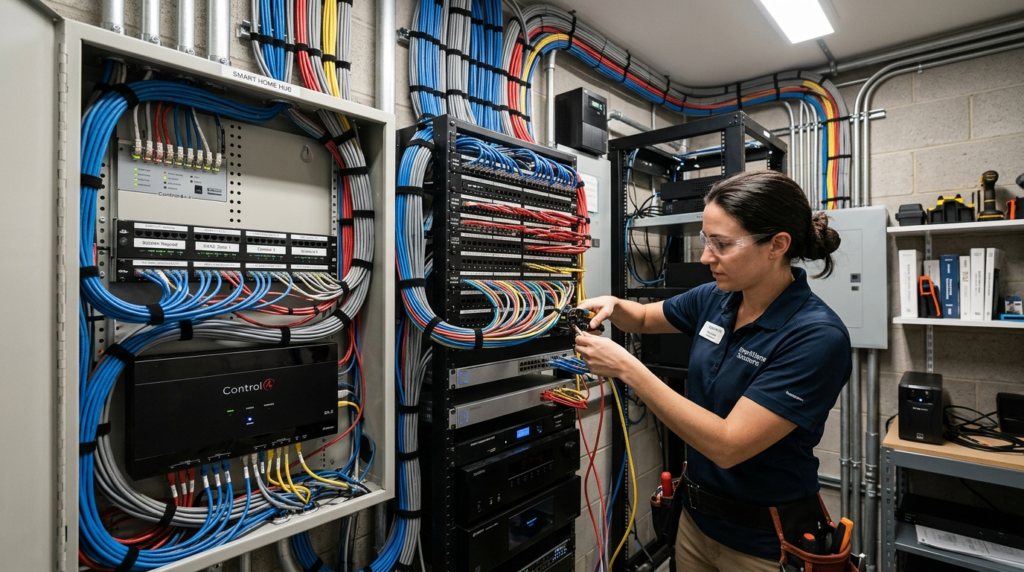
Home Automation is a system in which different home devices and appliances are connected through physical wires to control and monitor them automatically. It allows users to operate lights, fans, security systems, air conditioners, and other electrical devices from a central control panel or smart device. Wired automation systems are highly reliable because they provide stable communication without depending on wireless signals. These systems are commonly used in smart homes, offices, and buildings where safety, security, and energy efficiency are important. Although installation can be more expensive and complex due to wiring requirements, wired home automation offers better performance, faster response, and long-term durability compared to many wireless systems.Devices are connected using physical wires.
Features
Stable connection
Reliable performance
Wireless Home Automation
Uses Wi-Fi, Bluetooth, or RF signals.
Features
Easy installation
Remote control using mobile
IoT-Based Home Automation
Uses internet connectivity for smart control.
Features
Remote access from anywhere
Smartphone integration
Voice-Controlled Automation
Uses voice assistants.
Features
Hands-free operation
Smart assistant integration
Main Components
A basic home automation system includes several important components.
Microcontroller (Arduino / ESP32)
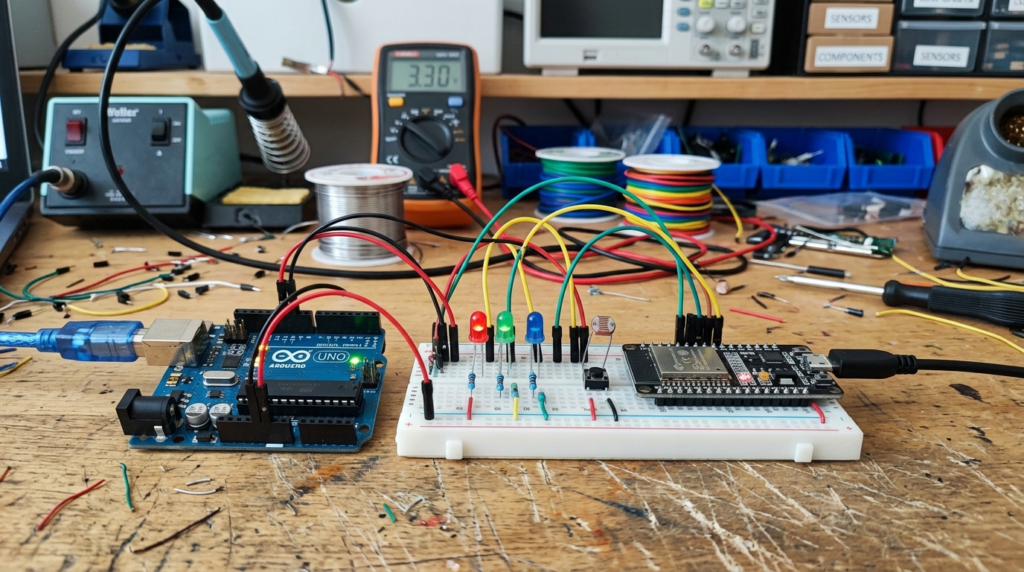
A microcontroller is a small programmable electronic device used to control different electronic systems and projects. Popular microcontrollers like Arduino Uno and ESP32 are widely used by students, engineers, and hobbyists for automation and embedded system applications. These devices contain a processor, memory, and input/output pins on a single chip, allowing them to read data from sensors and control components such as LEDs, motors, and displays. Arduino is popular because of its simple programming and beginner-friendly environment, while ESP32 offers advanced features like built-in Wi-Fi and Bluetooth for IoT projects. Microcontrollers are commonly used in robotics, smart home systems, industrial automation, weather monitoring, and wireless communication systems.Acts as the brain of the system.
Sensors
Detect environmental changes.
Examples
PIR sensor (motion)
LDR sensor (light)
Temperature sensor
Relay Module
Acts as a switch for high-power devices.
Power Supply
Provides energy to the system.
Communication Module
Used for wireless control.
Examples
Wi-Fi module
Bluetooth module
Output Devices
Devices that perform actions:
Lights
Fans
Motors
Advantages
Understanding how to home automation for high schoolers advantages and disadvantages helps learners evaluate its importance.
Advantages of Home Automation
Saves electrical energy
Improves safety
Easy remote control
Reduces manual effort
Enhances comfort
Useful for smart learning projects
Improves security systems
Supports modern technology learning
Helps in STEM education
Real-world engineering exposure
Disadvantages / Limitations
Even smart systems have limitations.
Disadvantages of Home Automation
Requires technical knowledge
Initial setup cost can be high
Internet dependency in smart systems
Maintenance required
Sensor errors may occur
Security risks in IoT systems
Applications
Home automation is used in many real-world areas.
Home Applications
Smart lighting systems
Automatic fans
Security alarms
Educational Applications
School STEM projects
Robotics learning
Electronics labs
Industrial Applications
Machine automation
Monitoring systems
Control systems
Modern Technology Applications
Smart homes
Smart cities
IoT-based systems
Comparison Section
Manual System vs Home Automation System
| Feature | Manual System | Home Automation |
| Control | Human-operated | Automatic |
| Efficiency | Low | High |
| Energy Saving | Limited | Better |
| Convenience | Low | High |
| Technology | Simple switches | Sensors + microcontrollers |
| Remote Control | Not possible | Possible |
| Cost | Low | Moderate |
Selection Guide
For beginners and high schoolers, choosing the right components is important.
Start with Simple Kits
Arduino starter kits
Basic sensor modules
Choose Easy Sensors
Motion sensor (PIR)
Light sensor (LDR)
Use Safe Voltage Levels
5V or 12V systems for learning
Learn Step-by-Step
Start with one sensor
Then add relay control
Then connect multiple devices
Use Simulation Tools
Before hardware testing:
Proteus
Tinkercad circuits
Common Problems & Solutions
Sensor Not Working
causes
Wrong wiring
Power issue
Solution
Check connections
Verify voltage
Relay Not Switching
causes
Low control signal
Faulty relay
Solution
Increase input signal
Replace relay
System Not Responding
cause
Programming error
Loose connection
Solution
Re-upload code
Check wiring
False Triggering
causes
Sensor interference
Solution
Adjust sensor sensitivity
Future Trends
Home automation technology is rapidly evolving.
AI-Based Smart Homes
Systems will learn user behavior automatically.
Voice-Control Expansion
More natural language control systems.
Fully IoT Connected Homes
All devices connected through cloud systems.
Energy-Efficient Smart Systems
Automation will reduce electricity consumption.
Smart Security Systems
Advanced cameras and sensors for safety.
Conclusion
Home automation is one of the most exciting and practical technologies for high school students to learn. It combines electronics, sensors, programming, and real-world problem-solving into simple and useful projects.
Understanding how to home automation for high schoolers working principle helps students learn how sensors, microcontrollers, and relays work together to automate daily tasks. It also builds a strong foundation for careers in electrical engineering, robotics, and IoT systems.
With simple tools and step-by-step learning, beginners can easily build smart home projects and understand modern technology used in today’s smart homes and industries.